Sometimes you want more than a “standard” wide angle. You want an image that instantly grabs attention: huge space, clean lines, or that unmistakable fisheye vibe that pulls viewers straight into the shot. That’s why Budgetcam has added two new Laowa lenses to our rental lineup. Both go seriously wide, but each has its own distinct character.
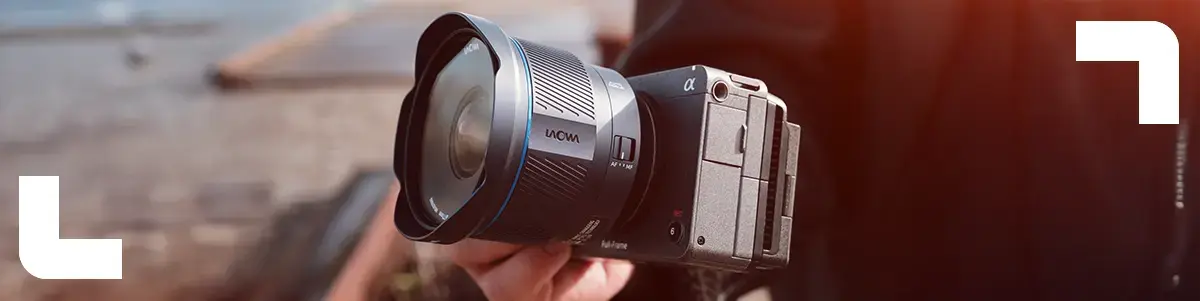
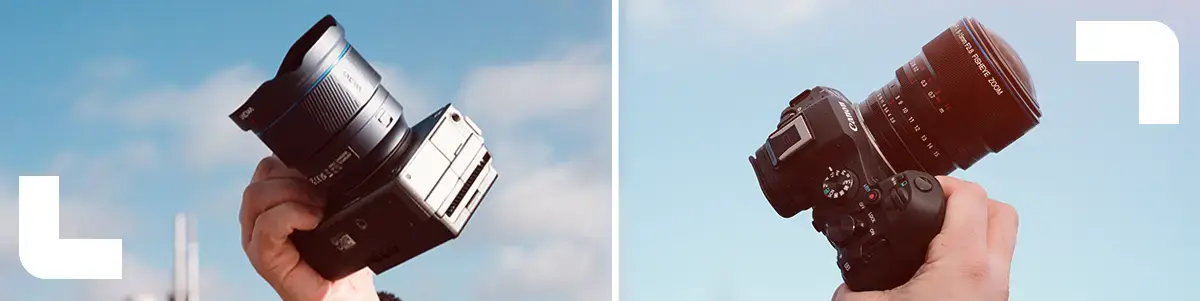
We’re talking about the Laowa 10mm f/2.8 Zero-D FF Auto Focus Lens (Sony E) and the Laowa 8-15mm f/2.8 FF Zoom Fisheye (Canon RF). Below you’ll find what makes them special, when to use which, and a few practical tips to get the best results.
Laowa 10mm f/2.8 Zero-D FF Auto Focus (Sony E)
A 10mm on full frame is extremely wide, but this lens isn’t just about an exaggerated look. Its biggest strength is the Zero-D design: it’s engineered to keep distortion as low as possible, so lines stay cleaner than you’ll often see with ultra-wide lenses. That makes it a strong choice for anything where straight lines and shape matter, like interiors, architecture, and real estate.
This version also comes with autofocus. In practice, that means faster operation on set, easier gimbal work, and less hassle for run and gun video. Combine that with an f/2.8 aperture and you’ve got an ultra-wide that holds up nicely in lower light too.
What makes this 10mm especially fun is how creative it can be. With such a wide field of view, you can get very close to your subject while still showing lots of environment. Think dynamic establishing shots, wide production shots in tight spaces, or ultra-wide close-ups that instantly deliver a unique look.
Practical tip: watch your edges at 10mm. Subjects placed too far toward the sides can stretch quickly, especially people. Keep your main subject closer to the center if you want a more natural look. And always double-check your frame for surprises: feet, tripod legs, gimbal arms, microphones. This lens sees everything.
Laowa 8-15mm f/2.8 FF Zoom Fisheye (Canon RF)
Where the 10mm aims for “wide but clean,” the 8-15mm is a lens you choose for an unmistakable fisheye look. The best part is that it gives you multiple styles in a single lens. At the wide end you can create that iconic circular fisheye look. Zoom in further and you move toward a full-frame fisheye, where the image fills the frame but still keeps the signature curvature and energy.
With a constant f/2.8 aperture, it’s also bright enough for indoor locations and evening shoots. And because it focuses close, it’s ideal for dynamic POV shots and that in-your-face perspective you often see in action sports and creative content. This is the lens you pick when you want your visuals to stand out instantly, whether it’s branded content, music videos, events, or sports productions.
Practical tip: place the horizon intentionally. Keeping it centered often looks the most symmetrical and clean. Placing it higher or lower adds more drama and speed. And again, edges distort quickly, so if you’re filming faces, avoid pushing people too far toward the sides.
Which one should you choose for your shoot?
Choose the Laowa 10mm if you want an ultra-wide that’s better suited for cleaner, straighter-looking shots, and if you want to work faster thanks to autofocus. It’s a great fit for interiors, architecture, gimbal moves in tight spaces, and wide establishing shots with a calm, professional look.
Choose the Laowa 8-15mm fisheye if you’re after a bold, instantly recognizable style that adds more energy to your visuals. It’s especially useful if you want one lens that can switch between different fisheye looks depending on the scene.
Now available to rent at Budgetcam
Want something different from a standard wide zoom, or do you have a shoot where “ultrawide” will truly make the difference? With these two Laowa lenses, you can create a look that stands out right away. When shooting ultrawide, it’s always smart to do a quick on-location test. A short trial run to check framing and edges can save a lot of time later.