Imagine this: you have a Sony camera, but your favourite lens is a Canon EF model. Or you own a Fujifilm body but have access to an impressive collection of Nikon lenses. Normally, that would mean you cannot mix and match everything. Fortunately, there is a perfect solution: the lens adapter.
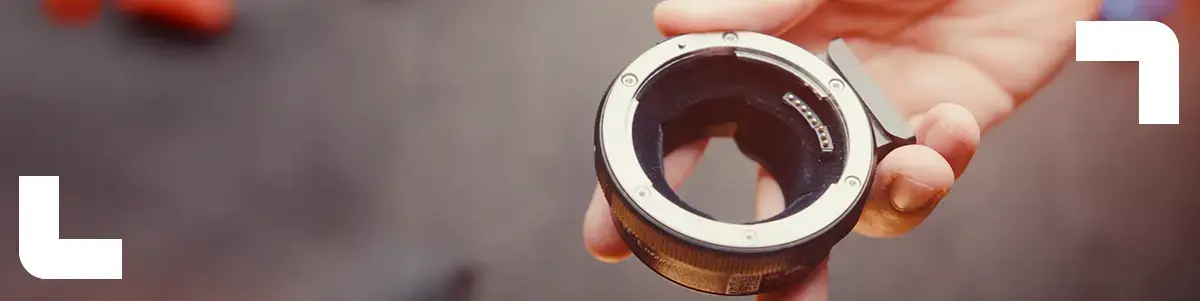
A lens adapter literally forms the bridge between different lens mounts. With a good adapter, you can use lenses on camera bodies they were not originally designed for, without losing image quality.
What exactly is a lens adapter?
A lens adapter is a mechanical (and sometimes electronic) connection between your camera and lens. Each camera manufacturer uses its own lens mount – the attachment system that secures a lens to the body. These mounts are often not compatible with each other.
Examples of popular mounts:
- Canon EF / RF
- Sony E-mount
- Micro Four Thirds (MFT)
- Nikon F / Z
- Fujifilm X
An adapter makes it possible for these systems to communicate with each other.
How does a lens adapter work?
Using one is simple:
- Attach the adapter to your camera body.
- Mount the lens onto the adapter.
- Turn on the camera and start shooting right away.
Without an adapter, the camera will often display an error message or simply refuse to take photos. With an adapter, you can (depending on the model) retain autofocus, aperture control, and image stabilisation, allowing you to work as flexibly as with native lenses.
Mechanical vs electronic
Not all adapters are the same. There are roughly two types:
Mechanical adapters
- No electronic connection between body and lens
- Manual focusing and manual aperture control
- Ideal for vintage lenses or creative projects
Electronic adapters
- Support autofocus, aperture control, and often image stabilisation
- Suitable for modern lenses when you want to keep all functions
At Budgetcam, you will find both types, depending on your project and equipment.